
I found classic editor up in the three dots to the right of PUBLISH. See screen shot below.
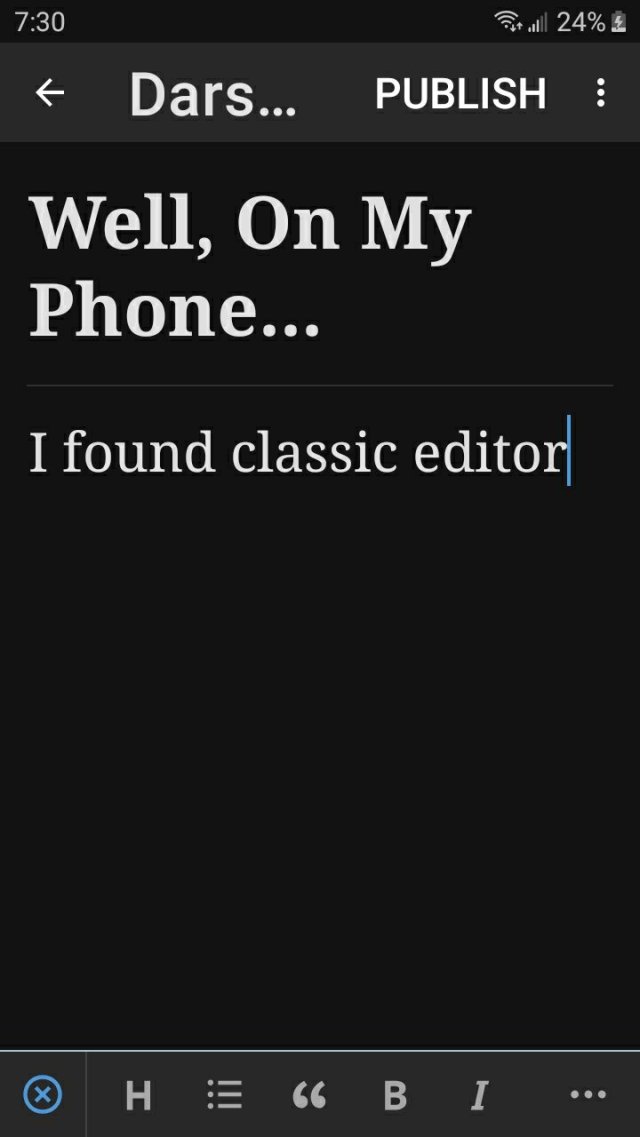
Mine is an android phone if that helps. The three dots change after the selection of classic editor to the next screenshot.
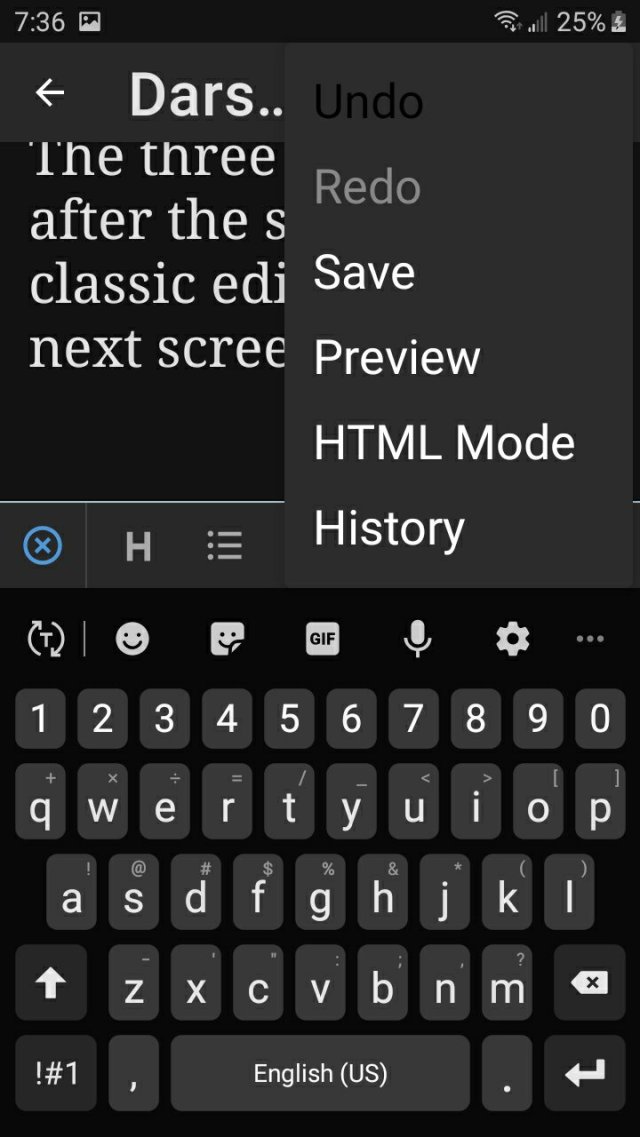
I hope that helps others who are trying to figure it out. I’ll play with the laptop version next time I need a break from knitting. 😁
Happy Sunday!






 Darswords
Cool!
😊
👍
Thanks for this… it will come in handy for those posts that don’t work on the new editor!
I figured it can’t just be me having these issues. Hope it helps. 😊
Additionally, within the block editor you can add a new block, search there for “classic” and insert a classic editor block and stay within that.
I’ll be looking for that as I write my review today. Thank you.